Make a Payment
We want to make things easier for you!
Make a payment to your Umatilla County Federal Credit Union loans from any external account.
Make a Payment
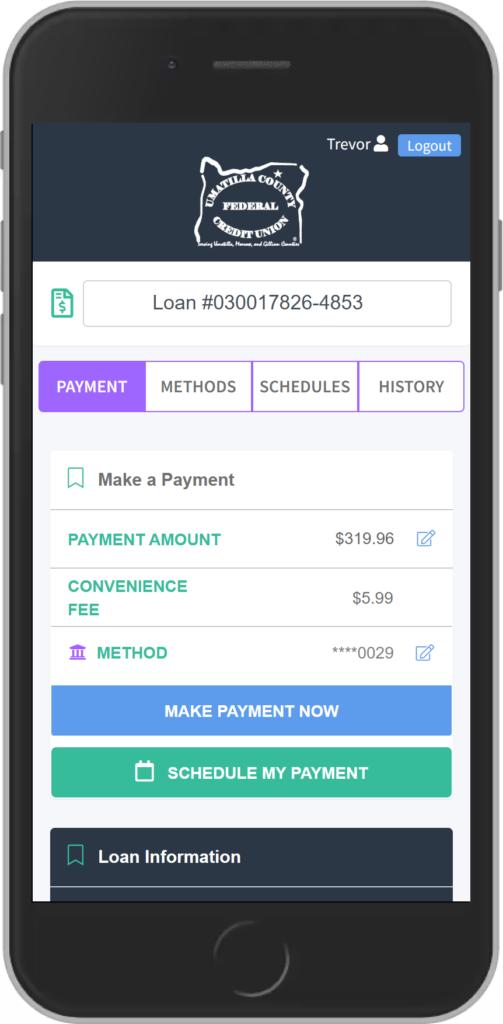
Pay your UCFCU loan online using MessagePay.
First time using MessagePay? Here are some helpful tips:
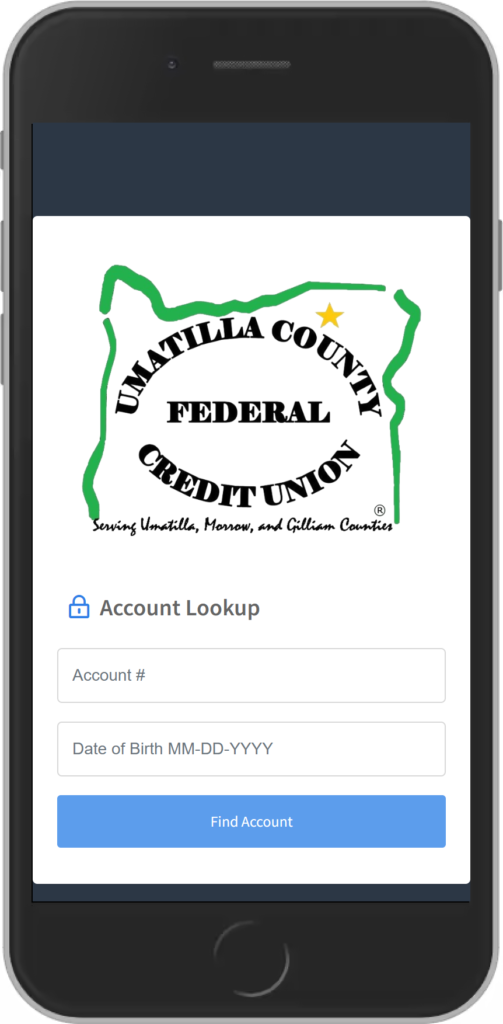
1. Verify Your Account
Enter your account number and date of birth.
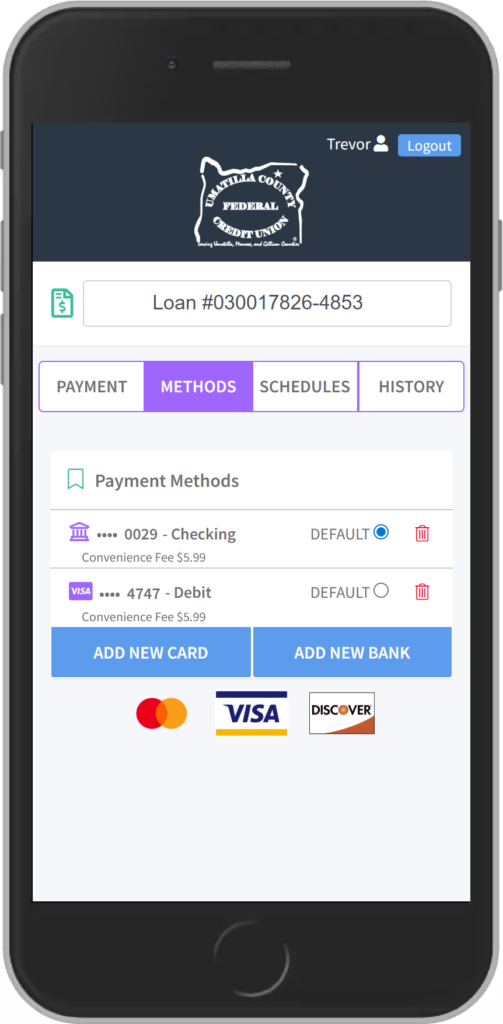
3. Add a Payment Method
Choose Add New Debit Card or Add New Bank Account and enter your payment information.
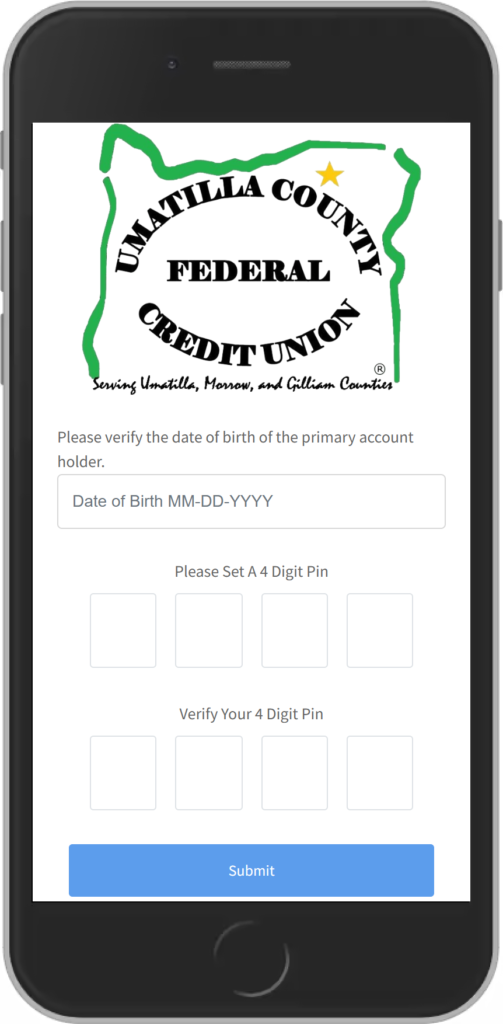
2. Create Your 4-Digit PIN
Choose a PIN you will remember. You will use this PIN for future payments.
4. Make Your Payment
Select the loan you want to pay, choose your payment method, enter the amount, and confirm your payment.
Good to Know
- You may receive a text message with your loan payment information and a secure link to MessagePay.
- The first time you use MessagePay, you’ll verify your account using your account number and date of birth.
- You’ll create a 4-digit PIN for future payments.
- You can pay using a debit card or bank account.
- Once verified, you’ll be able to view your loans and choose which one you want to pay.
- If you receive a payment text and do not want future text messages, you can reply STOP.
Need help? Call UCFCU at (541) 276-6317.
Payment Options & Fees
- Payments can be made from a checking account, savings account, or debit card.
- MessagePay uses encrypted connections to help protect your information.
- Payments can be made online from a phone, tablet, or computer.
- Some payment methods may include a convenience fee. Any applicable fee will be shown before you submit your payment.
Frequently Asked Questions
If I stop receiving payment text messages, can I still pay online?
Yes. You can still make a payment through the UCFCU website. You simply won’t receive payment reminders by text.
How do I make a payment by text?
After you receive a payment reminder by text, reply PAY and follow the instructions. You may be asked to enter your 4-digit PIN to verify your account.
Do I need to set anything up first?
Yes. Before making payments by text, you’ll need to verify your account, create your 4-digit PIN, and add a payment method.
What if I need help?
Call Umatilla County Federal Credit Union at (541) 276-6317.